Voteer offers two powerful notification tools to communicate effectively with voters: Notes and Pop-ups. These features allow organizers to send important information at the right moment.
Where to Find Notes and Pop-ups
You can access Notes and Pop-ups directly from the Live Votes section:
- Go to your ballot
- Click on Live Votes in the left menu
- At the top right of the screen, click on the Notification dropdown
- You will then see two tabs:
- Note
- Pop-up
This is where you can create, edit, and activate these messages for voters.

1. Note
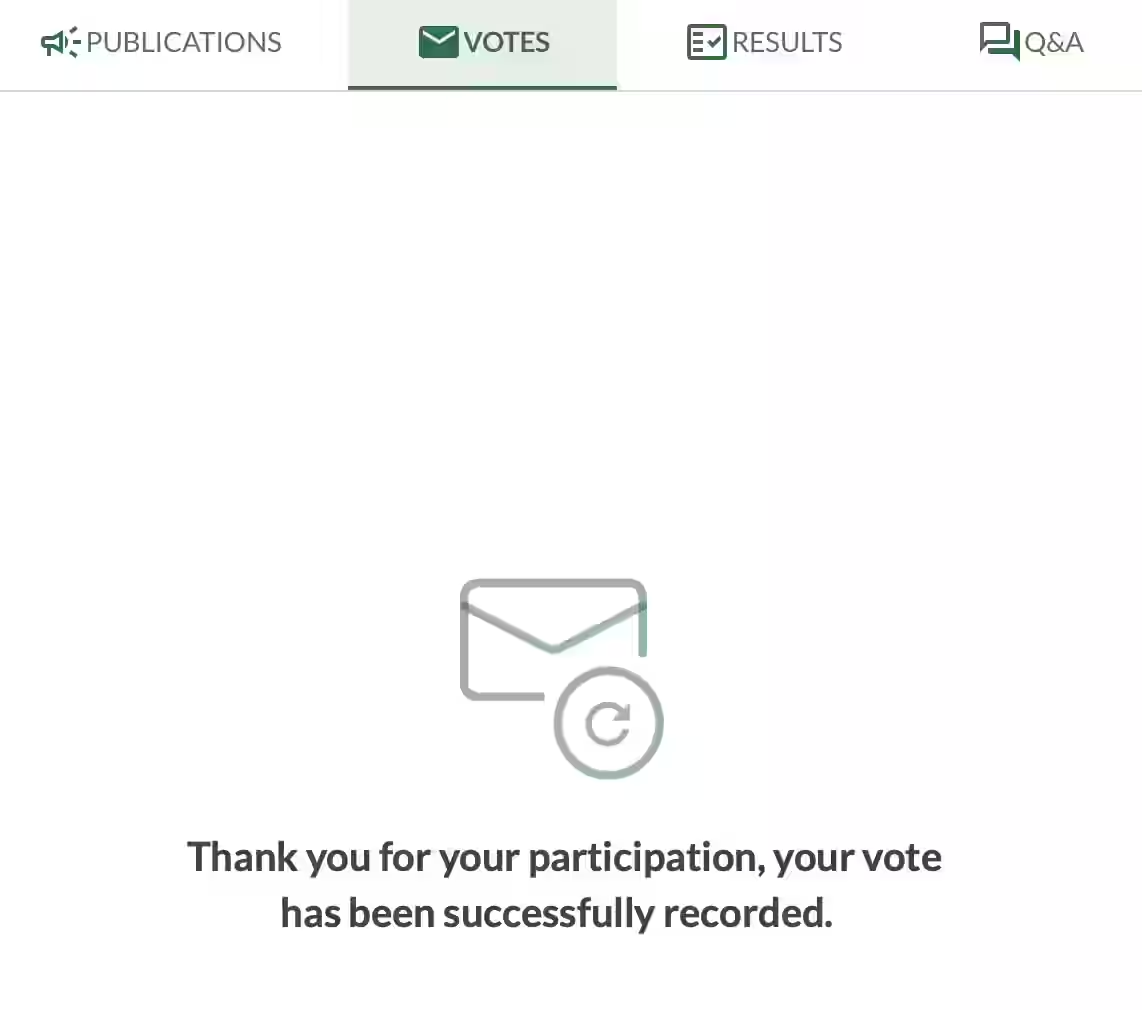
The Note is a message displayed in the voter application when no vote is currently active.
Common Use Cases:
- Remind voters before a general meeting: "The vote will take place live on the day of the AGM. In the meantime, you can consult the publications or ask your questions."
- Display a confirmation message after voting: "Thank you for your participation, your vote has been successfully recorded."
Key Advantages:
- The text is fully customizable.
- It can be modified in real time by the organizer.
- It appears automatically when no active vote is ongoing.
2. Pop-up
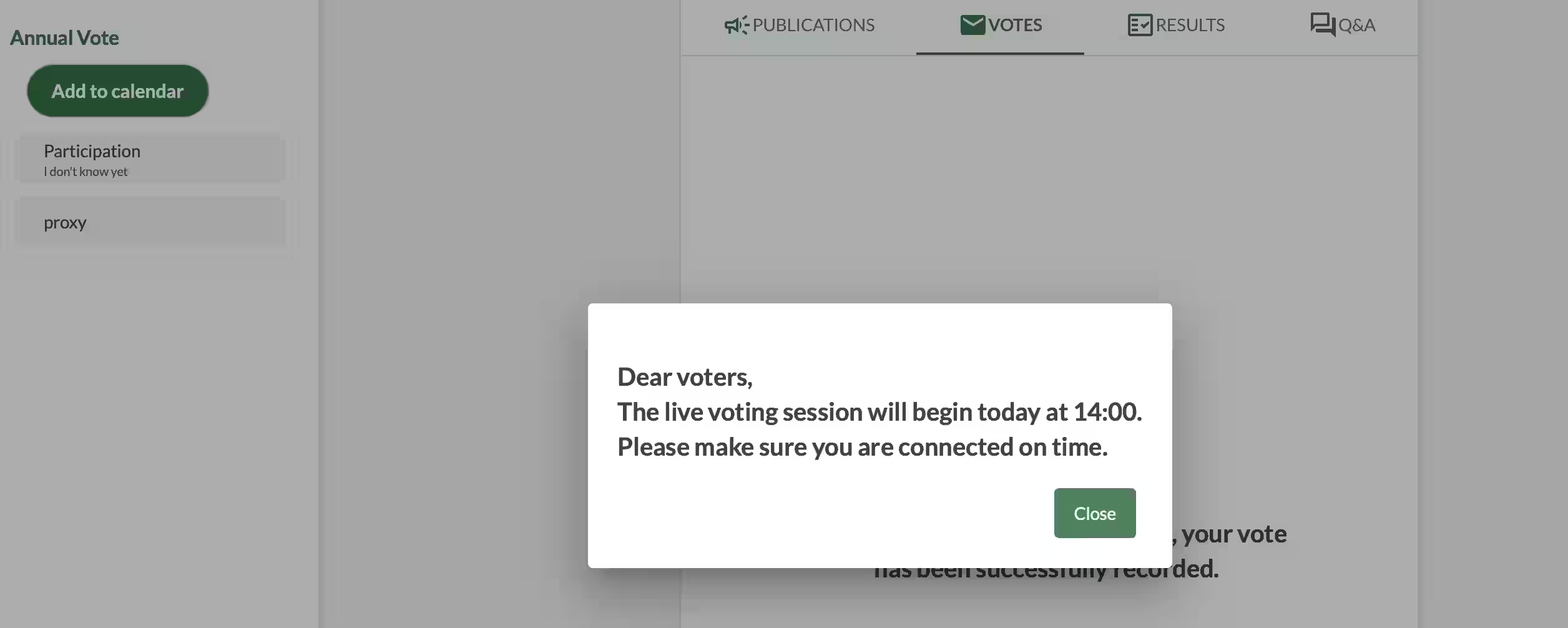
The Pop-up displays a modal window in the voter application, either at login or manually triggered by the organizer.
Common Use Cases:
- Important reminders before voting
- Key instructions or last-minute announcements
- Legal or procedural information
Can be published immediately or saved as a draft to activate later.
Key Advantages:
- More visible than a standard note (appears as a pop-up window).
- Can be activated manually at any time by the organizer.
- Ideal for time-sensitive or critical communications.
What the Voter Sees
In the voter application, Voteer displays two types of messages:
- Note: A message that appears directly in the main interface.
- Pop-up: A modal window that opens in the center of the screen. It is used for important announcements, such as reminders about the start time of a live voting session.
These messages are clear, well-designed, and help keep voters informed throughout the process.
Related Article
- How to Target and Personalize Your Email or SMS Audience
Learn how to segment your audience, personalize your messages, and send targeted emails or SMS to improve voter engagement and participation.
→ How to Target and Personalize Your Email or SMS Audience
Explore More Topics
- Best Online Voting Software: Free Poll Alternative, Software, or All-in-One Provider?
Discover the best online voting solutions and compare free poll tools with professional all-in-one platforms.
→ Best Online Voting Software: Free Poll Alternative, Software, or All-in-One Provider?
Support
Need help?
👉 Email: support@voteer.com
👉 Or use the live chat directly in Backstage