Run Secure Voting Directly in Microsoft Teams Meetings
Enable secure, real-time voting directly within your Microsoft Teams meetings.
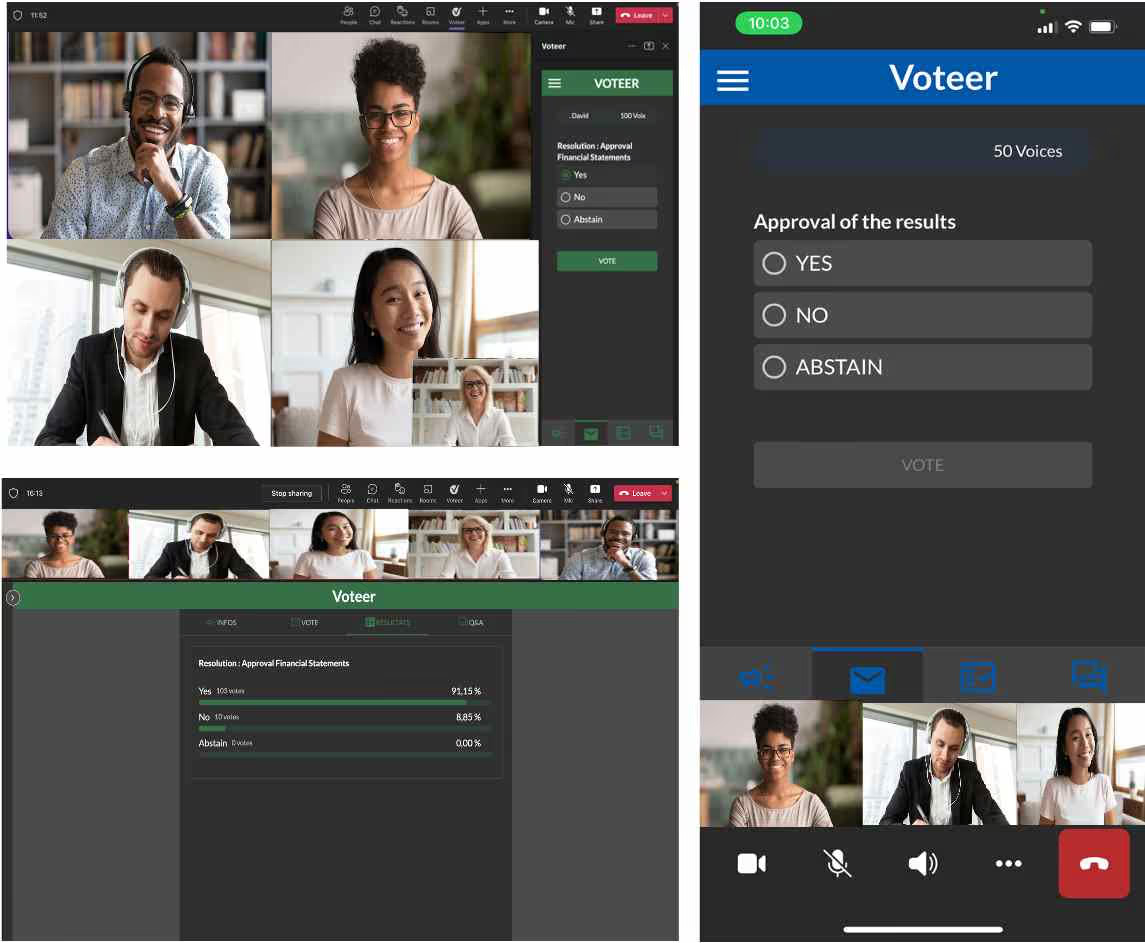
With Voteer’s Microsoft Teams integration, participants can vote seamlessly during live sessions or within team environments — without leaving the platform. Automatically authenticate voters and ensure a smooth and secure voting experience for any type of ballot.
🔥 Key Benefits
Native Microsoft Teams Experience
Run voting directly within your Teams meetings or team channels without disrupting collaboration.
Automatic Voter Authentication
Voters are automatically authenticated through the integration, ensuring secure access and a frictionless voting experience.
Secure & Verifiable Voting
Guarantee vote integrity, confidentiality and verifiability for every ballot conducted within Microsoft Teams.
Designed for Collaborative Environments
Ideal for organizations using Teams for internal governance, decision-making and structured voting processes
⚡ How It Works
- Create your ballot in Voteer Backstage
- Open your Microsoft Teams meeting or team workspace
- Launch Voteer within Teams
- Start voting in real time
👉 No complex setup required
👉 Learn how to set it up step by step
🔐 Seamless & Secure Voter Access
Participants access the ballot directly within Teams with automatic authentication.
This ensures:
- seamless access
- secure identification
- one voter, one vote
🎯 Use Cases
- AGM in Teams
- Board and executive meeting in Teams
- Election via Teams workplace
- Works council elections via Teams workplace
With Voteer, transform your Microsoft Teams meetings into a secure and fully integrated voting environment.