How to Create Your Voter List: Add Voters Manually or Import via CSV
Creating your voter list is the first essential step to launch an online election. You have two options: add voters manually or import a complete list using a CSV file.
1. Available CSV Fields
Here is some useful information to complete your voter file:
- Only fill in the columns you need.
- Unused columns can be left empty or deleted.
Required columns
- unique_id: Unique voter identifier (required) — must be strictly unique, alphanumeric and without spaces.
- last_name: Last name (required)
List of available fields:
2. Add a Voter Manually
The organizer can create a voter manually by filling out a form. The available fields are:
- Unique ID*: Unique identifier for each voter. This guarantees uniqueness and prevents any duplication.
- First Name
- Last Name*
- Organization*
- Mobile
- Voice (voting weight): Define the voting power. The value can be an integer or decimal. Use a dot as decimal separator (up to 5 digits).
- Secret Answer* (if secret question authentication is enabled)
- Registration (if enabled)
- Group (if enabled)
- Eligible (if enabled)

3. Import Voter List via CSV
You can import a full list of voters using a .CSV file (UTF-8).
How to prepare your fileIf your data is in Excel:
- Go to File > Save As
- Choose CSV (Comma delimited)
- Make sure the file is saved in UTF-8 encoding
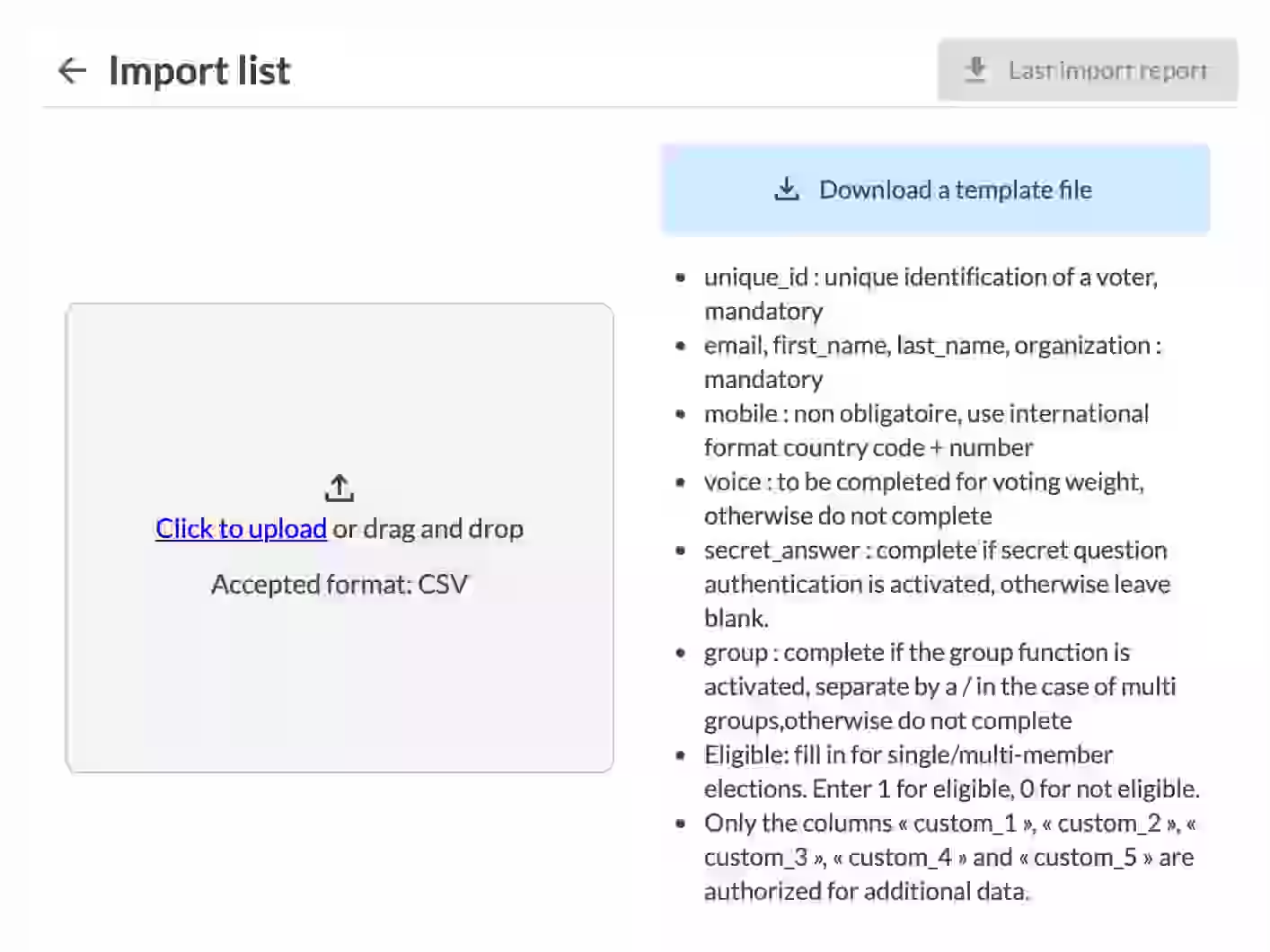
Important Rules
- The unique_id must be truly unique for each voter. It is the key that guarantees voter uniqueness.
- Re-importing the same file updates only the modified voters.
- A progress bar shows the import status in real time.
Voters with errors are not imported. You will receive a detailed downloadable error report.
How to fix errors
- Open the error report
- Correct the problematic lines in your CSV file
- Re-import the corrected file
Only valid voters will be added or updated.
Related Article
- How to Create a Personalized Email in Backstage
Learn how to customize your messages with variables, logos, and professional templates.
→ How to Create a Personalized Email in Backstage
Explore More Topics
- Is the Attendance Sheet for a General Meeting (AG) Useful and Mandatory?
Is the attendance sheet mandatory? Legal usefulness and best practices for associations & companies.
Support
Need help?
👉 Email: support@voteer.com
👉 Or use the live chat directly in Backstage