Create highly personalized and professional emails directly in Voteer Backstage to significantly increase open rates, engagement, and voter participation.
With Voteer’s advanced email editor, you can easily design impactful emails tailored to each voter while saving time and maintaining a strong brand image.
How to Create a Personalized Email
- Log in to https://backstage.voteer.com/signup
- Open your poll
- Go to Messages → Click “Create Email”
Customize Your Email Design
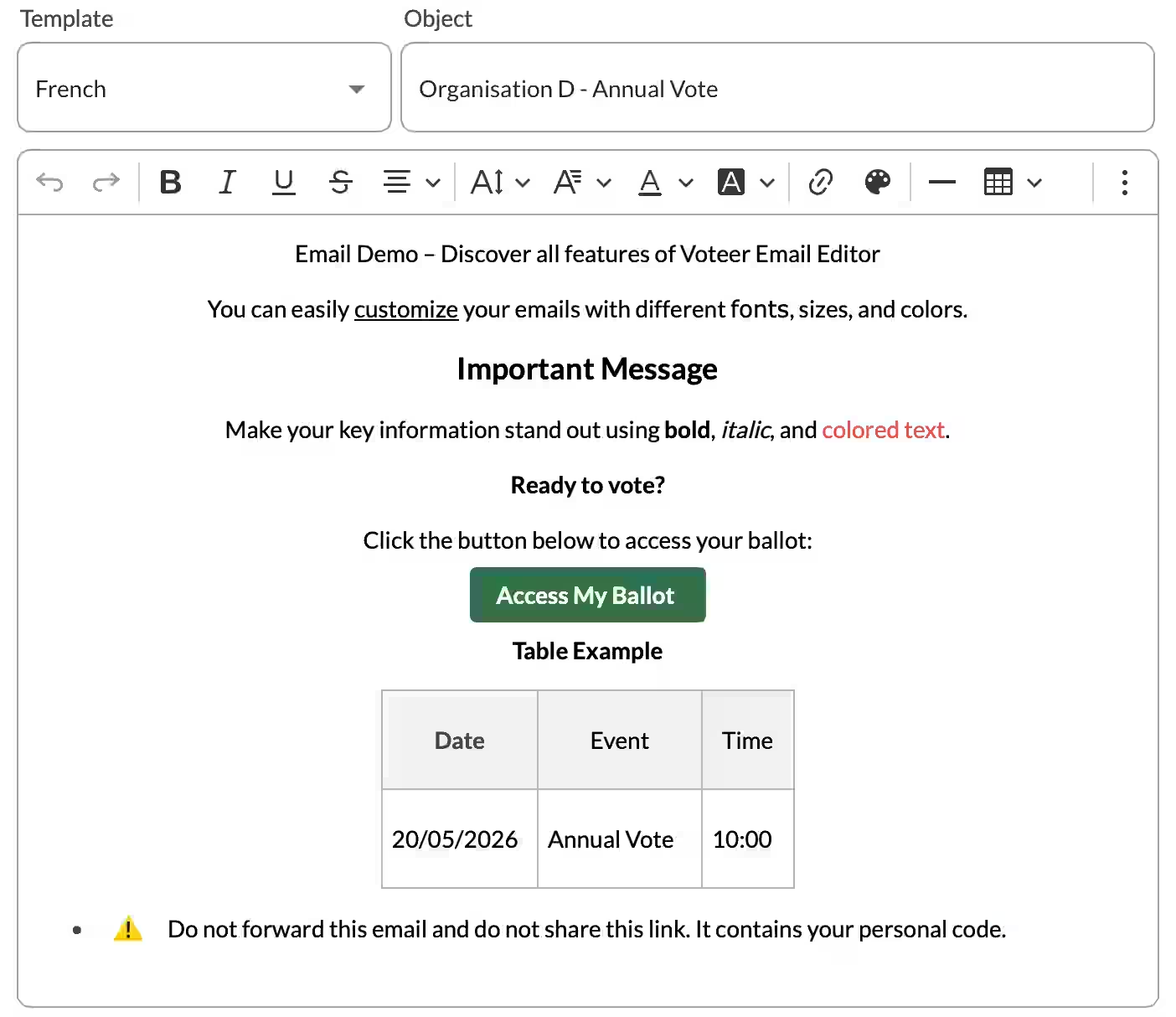
The rich text editor lets you:
- Change colors to match your branding
- Adjust fonts, sizes, and styles
- Add clickable buttons (such as “Access my Ballot”)
- Insert images, sections, and rich formatting
Place the personalized voting button at the top of the email so voters see it immediately.
Use Personalization Tags
Personalization tags allow you to save a lot of time. Instead of writing each email manually, you insert tags and Voteer automatically replaces them with the correct information for every voter.
Available tag:
Important tags: Especially {{ballot.uid.link}} which is the personalized link to vote.
Tags are replaced with each voter’s information when the email is sent.
After Writing Your Email: Save, Send or Schedule
Once your email is ready, you have three options:
- Save — Save as a Draft to edit later
- Send — Send immediately
- Schedule — Plan the delivery for a future date and time
Related Articles
How to Target and Personalize Your Email & SMS Audience
Learn how to precisely target your voters and personalize your email or SMS campaigns in Voteer Backstage for maximum engagement and participation.
→ How to Target and Personalize Your Email & SMS Audience
Want to Learn More?
Accessible Online Voting: A Global Standard for Inclusion
Explore how accessible online voting is setting a new global standard for democratic inclusion, reaching more voters and improving election turnout.
→ Accessible Online Voting: A Global Standard for Inclusion
Support
Need help?
👉 Email: support@voteer.com
👉 Or use the live chat directly in Backstage.