Slate Voting (Vote par liste) is one of the most commonly used voting formats in professional elections, particularly for electing board members, committees, supervisory boards, or any multi-position elections. It allows voters to choose from pre-defined lists (slates) of candidates.
Creating a Slate Voting Question
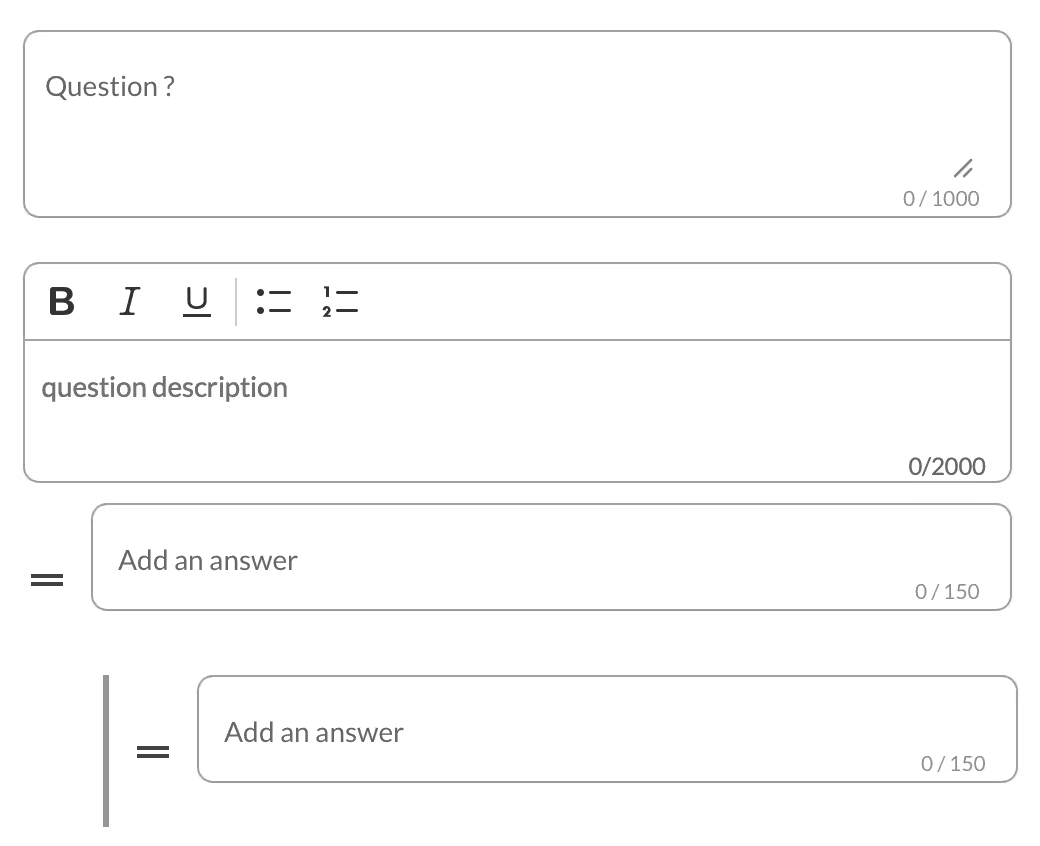
In this type of question, the organizer defines:
- Question: Title of the question asked.
- Question Description: Smaller text displayed below the title, useful to provide context or explanations.
- Add a List: Create one or more lists (free text).
- Add a Response: Add responses inside each list.
Blank Vote
The Blank Vote option is enabled by default for Slate Voting.
- You can customize its label (examples: “Abstain”, “Blank Vote”, “I do not wish to express an opinion”).
- Blank votes are considered non-expressed and are not counted in the final results.
- The number of blank votes is still available in the reports.
Advanced Parameters (for Slate Voting)
The advanced parameters are mostly common to all question types, with some specificities for Slate Voting:
- Secret Ballot: Allows you to make the question secret or open (only possible if the overall scrutiny is not forced to secret).
- Groups: Associate the question to specific electoral colleges or groups of voters.
- Display to Voters: Choose which information is visible to voters and in presentation mode:
- Number / % of blank votes
- Number / % of voters
- Number / % of votes cast
- Participation rate
- Display of Results: Define what appears in the results:
- Number of votes (always enabled by default)
- Percentage (% of expressed votes)
- Number of votes
- Associated Publications: Link one or more publications (documents, reports, etc.) directly to the question so they appear alongside it for better context.
Specific Feature: Raturage (Crossing Out)
One of the most important features of Slate Voting is the Raturage option.
When activated, it allows voters to:
- Select an entire list, or
- Cross out one or more names from a list they have chosen.
This gives voters significant flexibility while respecting the structure of list voting. According to the voting rules defined by the organizer, voters can either vote for a complete slate or personalize their vote by removing unwanted candidates from a list.
What the Voter Sees
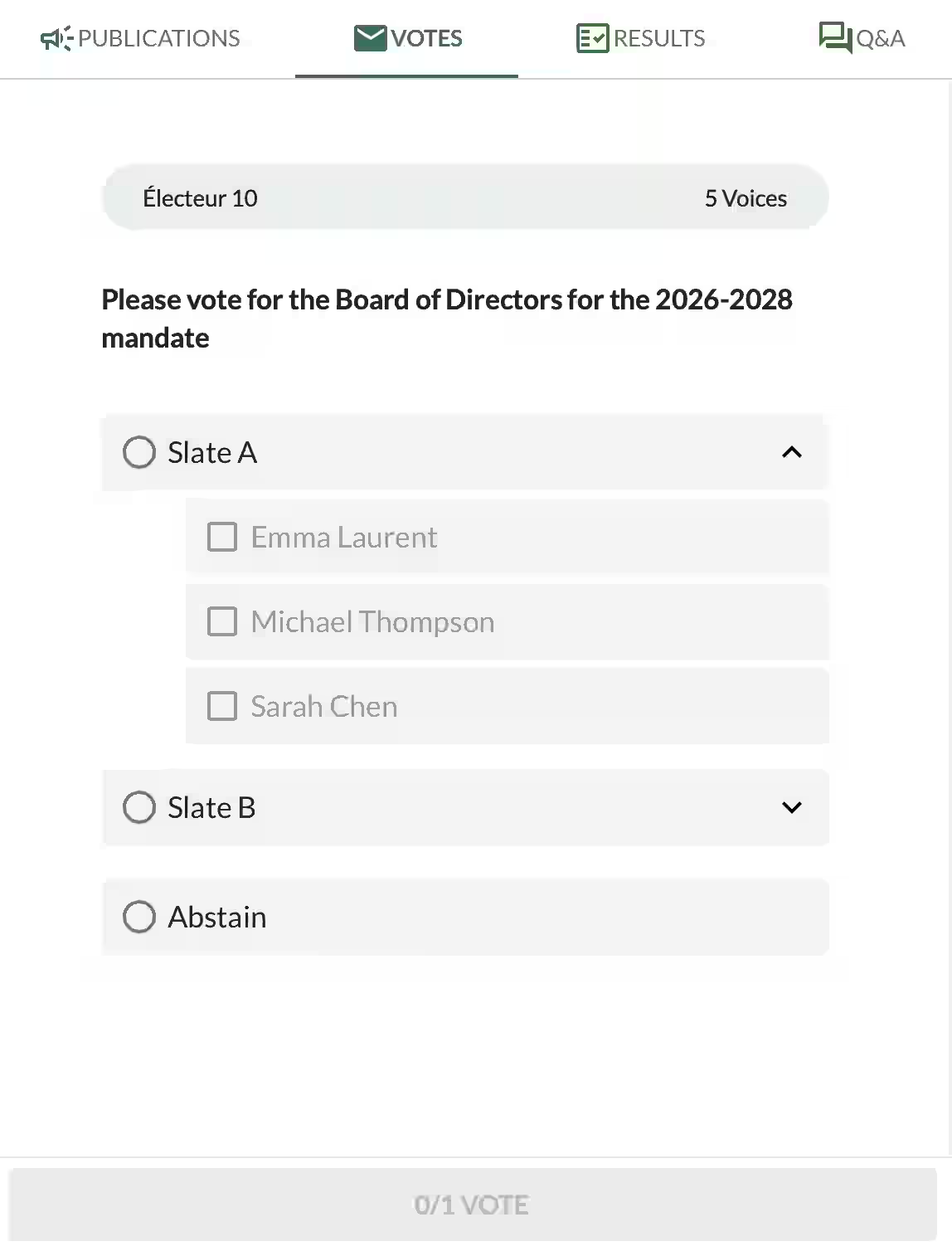
When voting on a Slate Voting question, the voter sees a clean and well-organized interface.
They can view:
- The main question title
- The different Slates (lists) presented
- The ability to expand each slate to see the items inside
- Radio buttons to select one entire slate
- The Abstain option
- A progress indicator at the bottom showing remaining selections
The interface is intuitive, allowing voters to easily browse between slates and make their choice.
Related Article
- How to Create Single and Multiple Choice Votes in Voteer
Learn how to configure single choice and multiple choice questions with advanced settings, blank vote options, and result display.
→ How to Create Single and Multiple Choice Votes in Voteer
Explore More Topics
- Voteer Launches Write-In Candidate Option for Greater Election Flexibility
Discover how the new Write-In Candidate feature gives voters more freedom and flexibility during elections.
→ Voteer Launches Write-In Candidate Option for Greater Election Flexibility
Support
Need help?
👉 Email: support@voteer.com
👉 Or use the live chat directly in Backstage